Best Lighting For Streaming: How Can You Look Like A Pro And Keep Your Audience Engaged?
A $2,000 camera still looks amateurish in bad light, and a cheap webcam looks great in good light. That is why the best lighting for streaming matters more than any other gear you own. In this guide, we cover key lights, three-point setups, RGB accents, specs, and budgets.
Key Takeaways
- The best lighting for streaming starts with one good key light; soft, front-facing light beats any expensive camera under poor conditions.
- A three-point setup with a key, fill, and back light adds depth and separation, but beginners can start with one or two lights.
- Specs like brightness, CRI, and color temperature determine how natural your skin tones and background look on camera.
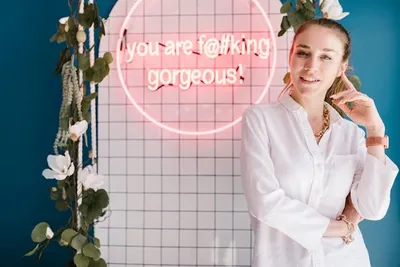
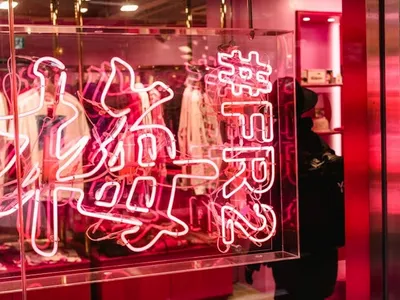
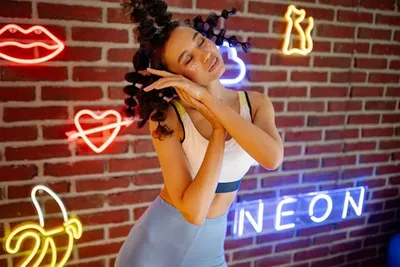
- High-quality custom LED neon signs add color, depth, and on-brand personality to a streaming backdrop without overheating.
Table of contents
-
Best Lighting For Streaming
-
What Lighting Basics Should Every Streamer Know?
-
What Is The Best Lighting Setup For Live Streaming?
-
Why Is Three Point Lighting The Gold Standard For Streamers?
-
What Should You Know About Key Lights For Streaming?
-
How Do Fill Lights And Back Lights Improve Stream Quality?
-
How Do You Light A Room For Streaming?
-
Which Lighting Specifications Matter Most For Streamers?
Best Lighting For Streaming
The best lighting for streaming is whatever delivers soft, even, front-facing light on your face, and that matters more than camera price. A modest webcam under good light beats a premium one in the dark every time, because the camera can only capture the light you give it.
Setups scale with experience. Beginners do well with a single key light or ring light. Intermediate streamers add a fill and back light for depth. Professionals layer background and accent lighting on top for a finished, branded look.
The best choice in 2026 depends on your budget, room, and goals. The rest of this guide walks through the fundamentals, setups, key lights, specs, and accents so you can build the right rig for your channel.
What Lighting Basics Should Every Streamer Know?
Before buying anything, learn three basics: light direction, light quality, and color. Light should come from in front of you, not behind. Quality is about hard versus soft: hard light casts sharp shadows, while soft, diffused light flatters skin and reduces harsh lines.
Color temperature shapes mood as much as image quality. A study in Environment and Behavior found illuminance and color temperature measurably affect alertness and mood, which is worth knowing since your light affects both how you look and how you feel on a long stream. These concepts return throughout the guide, so keep direction, quality, and color in mind. Get these three right and even budget gear looks professional; get them wrong and no amount of money fixes the picture.
What Are The Main Types Of Lighting Used In Streaming And Video Production?
Four light types do the work: key, fill, back, and background. The key is your main light. The fill softens shadows the key creates. The back, or rim, light separates you from the background. Background lighting adds depth and color behind you.
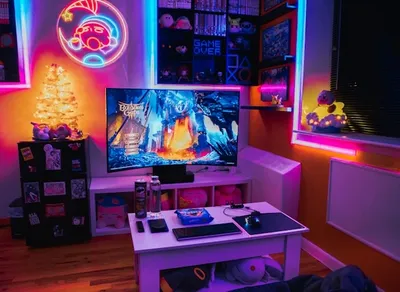
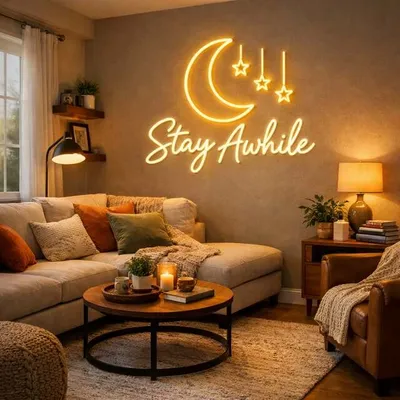
Each plays a role borrowed from film and adapted for a home studio. You can replicate professional results with small LED panels and one accent. Sizing the accent to your space matters, and our neon sign sizes guide helps you pick a backdrop piece that fits the frame rather than overwhelming it. A sign that is too large dominates the shot, while one that is too small reads as clutter behind your shoulder.
Want a glowing backdrop that makes your stream pop?
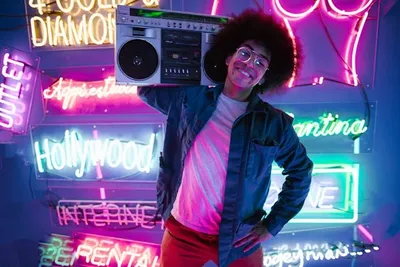
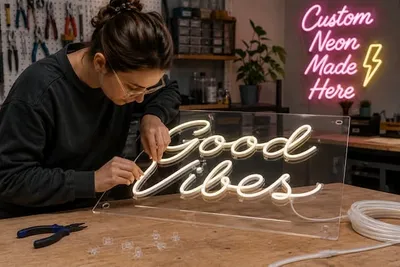
We craft custom Twitch neon signs in your channel name and colors, giving your background a bright, on-brand focal point that viewers instantly recognize.
What Is The Best Lighting Setup For Live Streaming?
The best live-streaming setup is a soft key light at eye level, a gentle fill on the opposite side, a backlight for separation, and one accent for color. This covers your face cleanly while giving the shot depth.
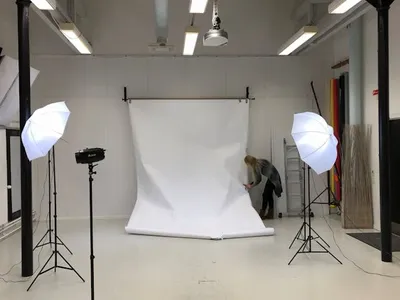
You can copy a ready-made layout: key at 45 degrees, fill across from it at half brightness, backlight behind and above, and a glowing accent like a custom Twitch neon sign on the wall behind you. In a small room, bounce the key off a wall to soften it. In a larger space, push lights back for an even spread. The accent should sit far enough behind you that it stays soft and slightly out of focus, which keeps attention on your face.
How Do You Set Up Lighting For Streaming Step By Step?
Start with the key light: place it slightly above eye level and about 45 degrees to one side, then adjust until shadows look natural. Turn off other lights first so you can see exactly what the key is doing.
Next, add a fill on the opposite side at roughly half the key’s brightness to lift shadows without flattening the face. Add a back light last for separation. Test on camera, not by eye, since the lens sees differently. Common beginner mistakes include lighting from overhead, which casts raccoon shadows, and overlighting until the image looks flat. Always make small changes and check the camera feed after each one, since the lens reacts differently than your eyes.
What Are Essential Lighting Setups For Live Streaming?
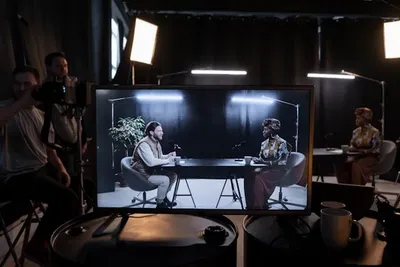
A few configurations cover most content. A single key or ring light suits talking-head and just-chatting streams. Key plus fill works for interviews and podcasts. Full three-point plus background lighting suits polished gaming and IRL streams.
Comfort matters as much as looks over a long session. A study on eye illuminance and visual comfort found that the light level reaching your eyes shapes visual comfort and alertness, so avoid pointing harsh lights straight at yourself. Match the setup to your content style rather than buying the biggest kit. A just-chatting streamer rarely needs more than a key and an accent, while a multi-camera IRL setup justifies the full rig.
Level up your gaming setup with light
Choose a custom gamer neon sign in any design or gamertag, and add depth and color to your streaming background without crowding your desk.
Learn moreWhy Is Three Point Lighting The Gold Standard For Streamers?
Three-point lighting is the gold standard because it shapes a flat scene into one with depth using just three sources: key, fill, and back. The key lights you, the fill controls contrast, and the back separates you from the background.
Compared with one or two lights, the three-point system gives the most control over mood and dimension. Because the lights work together, abrupt changes can be jarring; a study in PLOS One found that sudden shifts in brightness and color temperature change comfort and alertness, which is why steady, balanced lighting reads best on stream. We suggest dialing each light in one at a time, starting with the key, so you always know which light is responsible for what you see.
Do You Really Need A Three-Point Lighting Setup To Start?
No. Beginners can start with a single key light and still look far better than under ceiling lighting. Add the fill and back lights later as budget and space allow, since one good front light solves most problems.
In small spaces or tight budgets, a ring light or one LED panel plus a bright accent can carry a whole setup. A glowing custom gamer neon sign behind you adds color and depth that a single key cannot, faking the look of a fuller rig. We suggest upgrading one light at a time as your channel grows, since each addition teaches you what the next one needs to do.
What Should You Know About Key Lights For Streaming?
The key light is the most important purchase you will make, since it provides the main illumination on your face. A soft, adjustable LED panel is the best starting point for most streamers because it is bright, dimmable, and runs cool.
Color accuracy is part of why panels win. A study in the Journal of Asian Architecture and Building Engineering on color rendering found that a light’s spectrum strongly shapes how colors and skin tones appear, which is exactly what a quality key light controls. Look for a panel with high color rendering and adjustable temperature so your face never looks washed out or sickly. Cheap lights with a narrow spectrum are the usual reason skin looks green or orange on camera.
What Is The Best Key Light For Streaming And Where Should It Be Placed?
The best key light is a soft, dimmable LED panel with adjustable color temperature, placed slightly above eye level and about 30 to 45 degrees off-center. That angle lights your face while leaving a little natural shadow for dimension.
Keep the key close enough to stay soft but out of frame, and raise it so the light angles gently downward. Too low looks unnatural; too high casts shadows under the eyes. For backdrop accents to pair with it, our roundup of neon sign ideas offers on-camera inspiration. The right accent reinforces your brand without competing with your face for attention.
Build a game room that looks great on camera
Our custom game room neon signs let you pick the size, color, and message, turning a plain wall behind you into an immersive, camera-ready backdrop.
How Do Fill Lights And Back Lights Improve Stream Quality?
Fill lights control shadows and back lights create separation, and together they add the depth a single key cannot. The fill softens the dark side of your face, while the back, or rim, light traces a bright edge that lifts you off the background.
The difference is dimension: without a backlight, you blend into the wall behind you. A fill light can be any softer source opposite the key, even a bounce card. For a tidy desk that also reads well on camera, a custom acrylic coaster keeps drinks off your gear while you fine-tune the lights. Even a small detail like that reads as a tidy, intentional setup on camera.
Where Should Fill Lights And Back Lights Be Positioned?
Place the fill light on the opposite side of the key, at a wider angle and lower brightness, usually around half the key’s output. This lifts shadows without erasing the natural contrast that gives your face shape, since a face with no shadow at all looks flat and lifeless on camera.
Put the backlight behind and above you, angled down toward your shoulders and head, just out of frame. Aim for a key-to-fill ratio near 2:1 for a natural look. Common mistakes include a fill as bright as the key, which flattens the image, and a backlight so strong it creates a glowing halo. If you keep printed photos or art in your backdrop, a matching custom acrylic photo coaster on the desk can echo that style on camera while protecting your gear from spills.
Put your channel name in lights
With our custom LED signs you choose the font, color, and size, then mount an energy-efficient piece that reads cleanly on a webcam and stays cool all stream.
Get startedHow Do You Light A Room For Streaming?
To light a room for streaming, separate the light on you from the light on the background, and control any windows. Daylight is unpredictable, so close blinds and rely on your own controllable lights for a consistent look every session, regardless of the time of day or weather outside.
For a desk or small office, a key light, a soft fill, and one or two background accents cover everything. In tight spaces, lean on wall bounces and compact panels. A custom game room neon sign gives the background color and brand identity, turning a plain wall into a set. Aim to keep the background dimmer than your face so viewers’ eyes land on you first, not the wall behind you.
What Is The Main Light For Streaming?
The main light for streaming is the key light, the primary source that defines how you appear on camera. Everything else, fill, back, and background, supports it, so it deserves the largest share of your budget.
Its quality affects image more than any other factor: a soft, accurate key produces clean skin tones and natural contrast. LED is the standard because it runs cool and sips power. The US Department of Energy notes that LEDs use far less energy and last far longer than older bulbs, which matters when your lights run for hours every stream.
Which Lighting Specifications Matter Most For Streamers?
Four specs matter most: brightness, CRI, color temperature, and diffusion. Brightness, measured in lumens, must overcome your room. CRI measures color accuracy, and higher is better for skin tones. Color temperature sets warm or cool. Diffusion softens the light so it flatters.
Aim for a CRI of 95 or higher, an adjustable temperature around 3200 K to 5600 K, if you want stricter style consistency, and built-in or added diffusion. Lightweight backdrop accents are easy to mount, and our guide to hanging a sign safely shows how to position a glowing backdrop piece without damaging the wall. Match these specs to your camera and room, and you will get a clean, consistent look every time you go live.
How Many Lumens For Streaming?
Most streamers do well with a key light in the 1,500 to 3,000 lumen range for a typical desk at arm’s length. Brighter rooms or lights placed farther away need more output to keep your face properly exposed.
Distance and modifiers change the math. Moving a light twice as far away cuts the light on your face to a quarter, and diffusion or a softbox reduces output further in exchange for softer light. We suggest a dimmable light so you can match brightness to your room rather than chasing a single lumen number.
Frequently Asked Questions About 'Best Lighting For Streaming'
What Core Lighting Concepts Can Improve Your Streaming Quality?
Soft, front-facing key light, controlled shadows from a fill, separation from a backlight, and accurate color temperature are the core concepts that improve streaming quality the most.
What Lumen Output Works Best For Live Streaming?
A key light around 1,500 to 3,000 lumens suits most desk setups, though brighter rooms, greater distances, and diffusion all call for higher output to expose your face properly.